Release
This page documents features that are still in development and will be available soon. Details may change as we continue building Plantasia Space.
Where to start
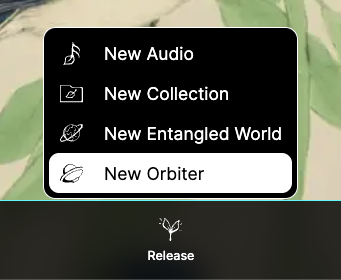
Go to Release → New Orbiter.
The release form lets you define the Orbiter's visual identity, choose a preview context, and configure its panel and engine per dimension.
1) Orbiter image
Upload an image that will identify your Orbiter.
- You can upload your own design.
- You can generate an image using the regeneration button, then edit it.
Orbiter images are displayed in a hexagonal frame. If needed, open the guidelines to design for this shape.
2) Orbital Name
Set the Orbital Name — a unique name that identifies your Orbiter on the platform.
You can regenerate the name if you need a starting point.
3) Preview Audio and Entangled World
Choose an Audio and an Entangled World to preview your Orbiter while you design it.
This preview choice does not permanently bind the Orbiter to that Audio or World.
Use fullscreen when you need a clearer view while testing.
4) Panel (per dimension)
Think of the panel as the spaceship controls.
Orbiters support three dimensions (World 1, World 2, World 3). Each dimension has independent panel settings.
Typical panel settings include:
- Color preset
- Rounded corners
- Frame width
- Font
- Ring (enabled / color)
- Amplitude reaction (visible when an Audio is playing)
- Internal radius
Copy / paste panel settings
Panel styling is dimension-specific.
If you want consistent styling across dimensions, use copy / paste for the panel. This applies only to panel styling, not to the engine.
5) Engine (per dimension)
The engine defines how the Orbiter transforms sound.
Each dimension has its own engine configuration and may offer different effects or reproduction types.
Mapping: minimum / equilibrium / maximum
Each mapped control has three key points:
- Minimum: effect behavior at one extreme
- Equilibrium: the center point (usually a bypass / neutral state)
- Maximum: effect behavior at the opposite extreme
A useful strategy is to keep equilibrium at 0 as a reliable “no effect” reference point.
6) Collaboration and visibility
Set who can:
- View the Orbiter
- Publish with the Orbiter
- Edit the Orbiter
You can also set general access rules (for example: anyone with the link can view / publish / edit).
By default, Orbiters are visible and searchable.
7) Draft vs release
- Save draft if you want to continue later.
- Release when you are ready to publish.
After release, you can reuse the Orbiter across different Audios and Entangled Worlds.