Release

Where to start

Go to Release → New Collection.
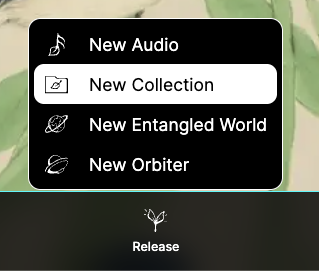
New Collection

New Collection

1) Describe the collection

Give the collection a name and a description, then choose its category — Audios, Worlds, Orbiters, or Mixed — and an optional subtype (for example Album, EP, Single, Compilation, or Various Artists for audio collections).

If you need inspiration, you can regenerate the collection name.

2) Add artwork

Click or drag to upload the collection artwork — PNG, JPEG, or WebP, with a square crop.

3) Add items

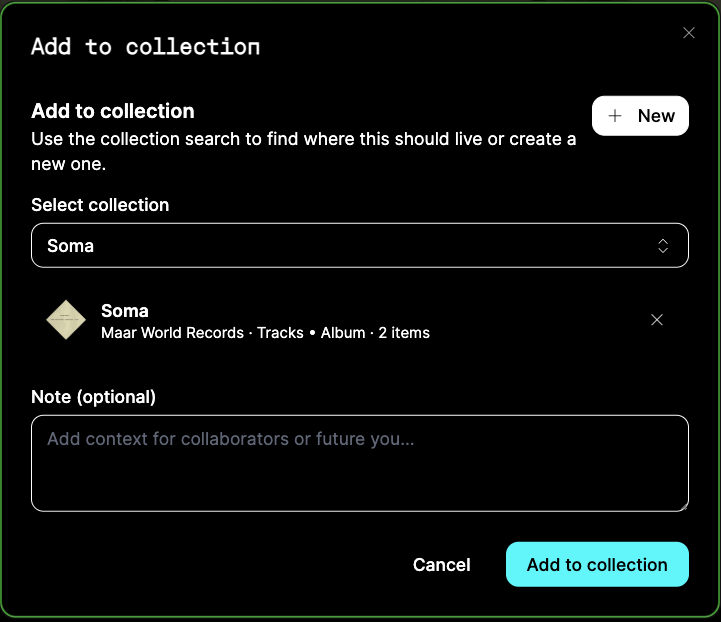
You can add content from inside the collection, or from anywhere on the platform: every audio, world, and orbiter page has an Add to collection action. Pick the target collection — or create a new one on the spot — and optionally attach a note for collaborators.

Adding a different content type to a typed collection converts it to Mixed; you will be asked to confirm before the category changes.

4) Save draft or release

Save the collection as a draft while you curate, or choose Release collection when it is ready for everyone.

After a collection is released, later edits are published with Release changes — until then, they stay in your draft.